

Deploying from GitHub
Connect a repository, pick a branch, and get automatic deploys on every push.
The fastest way to deploy on OneBit is from a GitHub repository. Once connected, every push to your chosen branch triggers a new build and deployment.
Connect your repository
On Apps, press Add app and open the GitHub account tab. Press Connect GitHub the first time, pick the project (repository), choose the Branch to put online and press Import. The console says what it found; check the Name and press Deploy.
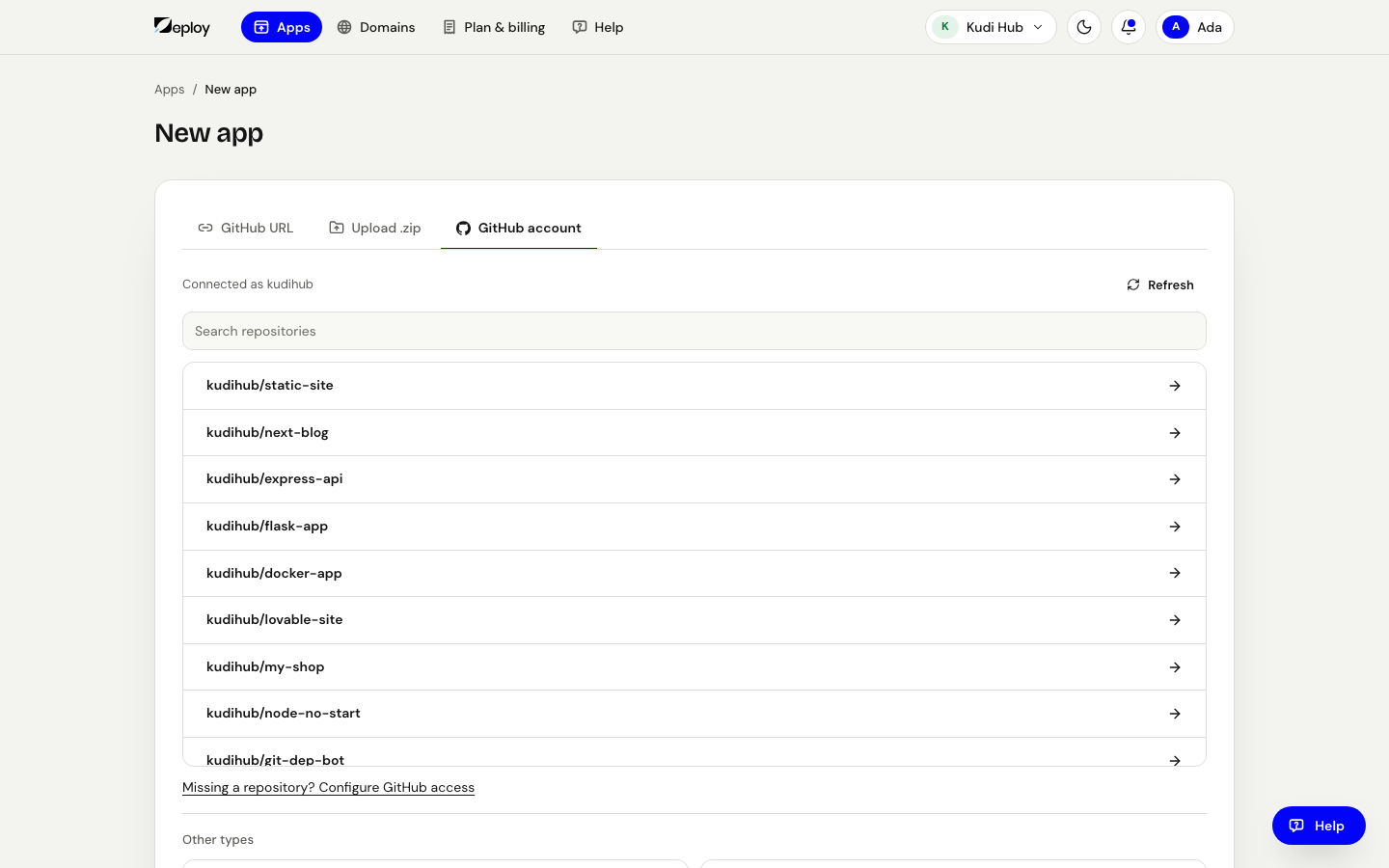
Where the console offers it, you can also GitHub URL to a public project and press Import. An app added from a pasted link does not update by itself when you push; to get automatic deploys, add it GitHub account, or later open its Deployments tab and press Connect a GitHub project.
OneBit installs a GitHub app on your account so it can read the selected repositories and receive push events. See GitHub app for the permissions involved.
Automatic deploys
After the first deploy, OneBit watches the connected branch:
- Push to the branch → a new build starts automatically.
- The new version replaces the running one once the build succeeds.
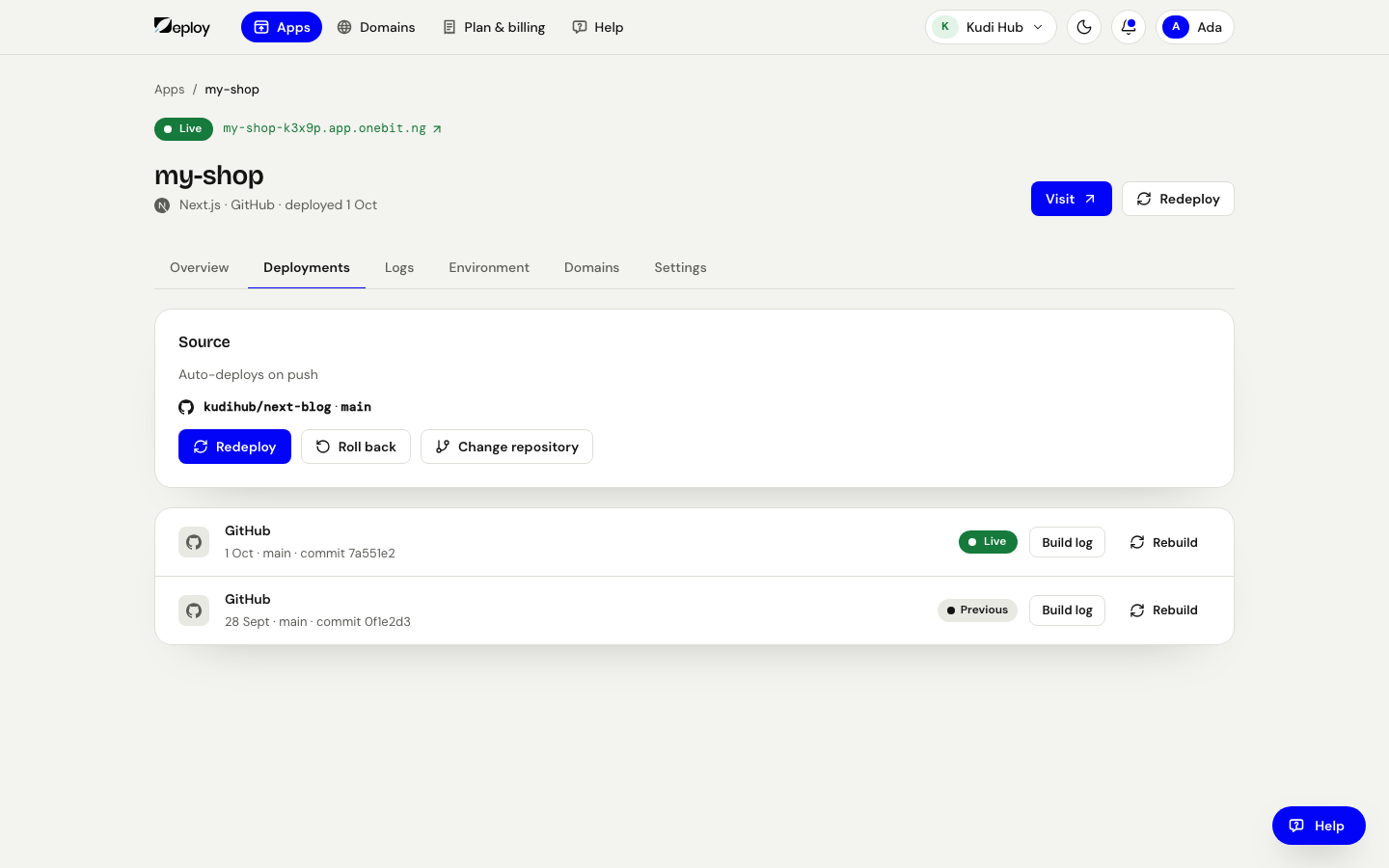
- You can follow progress in the app's Deployments and Logs tabs. To build the branch again without pushing, press Redeploy.
- To build from another project or branch, open Deployments and press Change the project or branch.
Deploy a ZIP instead
For static sites you don't have to use GitHub — on Add app, open the Upload a .zip tab and drop a ZIP of your built site. This is useful for one-off sites or output from a build you run elsewhere. To change it later, open the app's Deployments tab and press Upload a new .zip.
To undo a bad deploy, open the app's Deployments tab and press Go back to the previous version — it puts the previous successful deployment back. If you want a specific earlier commit, press Rebuild on that update in the list.