

Environment variables & secrets
Configure environment variables and secrets for your app, per environment.
Most apps need configuration — API keys, database URLs, feature flags. OneBit Deploy lets you set environment variables and secrets per app in the console, where they are called Environment.
Setting variables
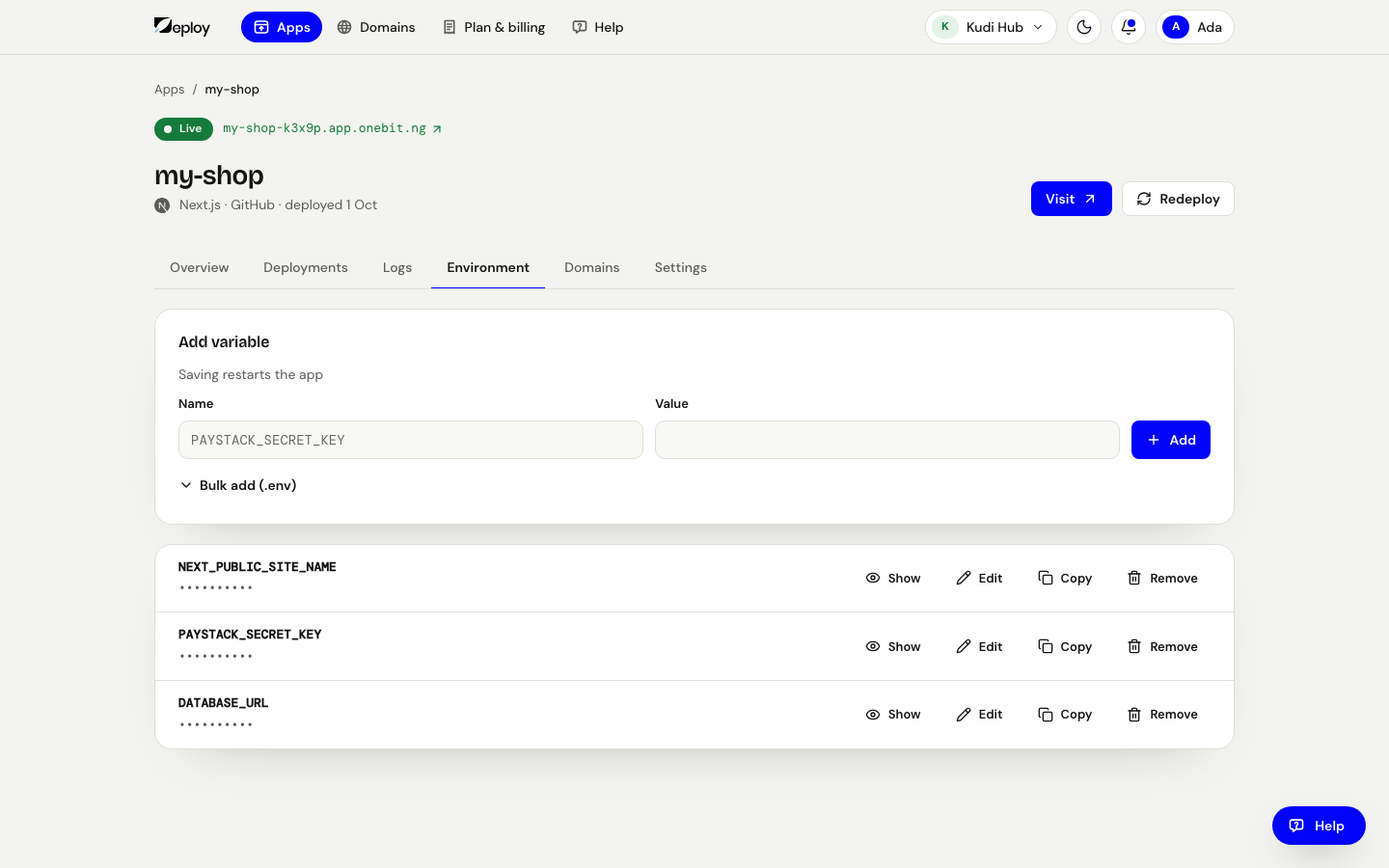
Open your app and go to the Environment tab. Under Add variable, type the
Name and the Value and press Add. To bring several over at once, press
Bulk add (.env) and paste the lines of a .env file (one NAME=value per line).
Values are stored securely and hidden after saving; press Show to see one, or
Remove to delete it.
When variables apply
- Variables are injected into your app at runtime.
- Build-time variables (for example,
NEXT_PUBLIC_*for Next.js) are available during the build so they can be inlined into your client bundle. - Saving a key restarts the app so it picks the value up. A build-time value is only read when the app is built, so after changing one press Redeploy (or push) to build it again; for an app from a .zip, upload it again on the Deployments tab.
Database URLs
When you provision a managed database, its page shows the
connection string to copy into your app's Environment (for example as
DATABASE_URL). Treat it as a secret.
Never commit secrets to your repository. Store them as environment variables here so they stay out of your codebase and build logs.
Related
Deploy a Django app (Python)
Deploy a Django project on OneBit Deploy from GitHub — gunicorn on port 8000, ALLOWED_HOSTS and SECRET_KEY from environment variables, migrations and static files. Python is in early access.
Custom domains & SSL
Point your own domain at your app and get automatic HTTPS certificates.